This package provides:
- definitions@0.1.0
- outline-view@0.1.0
- code-highlight@0.1.0
- find-references@0.1.0
- code-format.range@0.1.0
- debugger.provider@0.0.0
- autocomplete.provider@2.0.0
This package consumes:

Known to be non-functional
Installation of fork recommended

Python language support for Atom-IDE, powered by the Python language server.

ide-python requires Atom 1.21+, Python language server 0.29+ and the atom-ide-base package to expose the functionality within Atom.
Please note that atom-ide-ui is now deprecated, therefore, you must use the packages supplied from atom-ide-community as mentioned above. Links are also provided for more information.
Install the language server (0.29.0 or newer) with:
python -m pip install 'python-language-server[all]'
This command will install the language server and all supported feature providers, which can be enabled or disabled in the settings. Checkout the official installation instructions on how to install only the providers you need.
You can verify that everything is correctly installed by running python -m pyls --help from the command line.
It should return
usage: pyls [-h] [--tcp] [--host HOST] [--port PORT]
            [--log-config LOG_CONFIG | --log-file LOG_FILE] [-v]

Python Language Server
...
If you have installed pyls using a non default installation of Python, you can add modify the Python Executable config in the ide-python settings.
Install ide-python and atom-ide-base from Install in Atom's settings or run:
apm install atom-ide-base
apm install ide-python
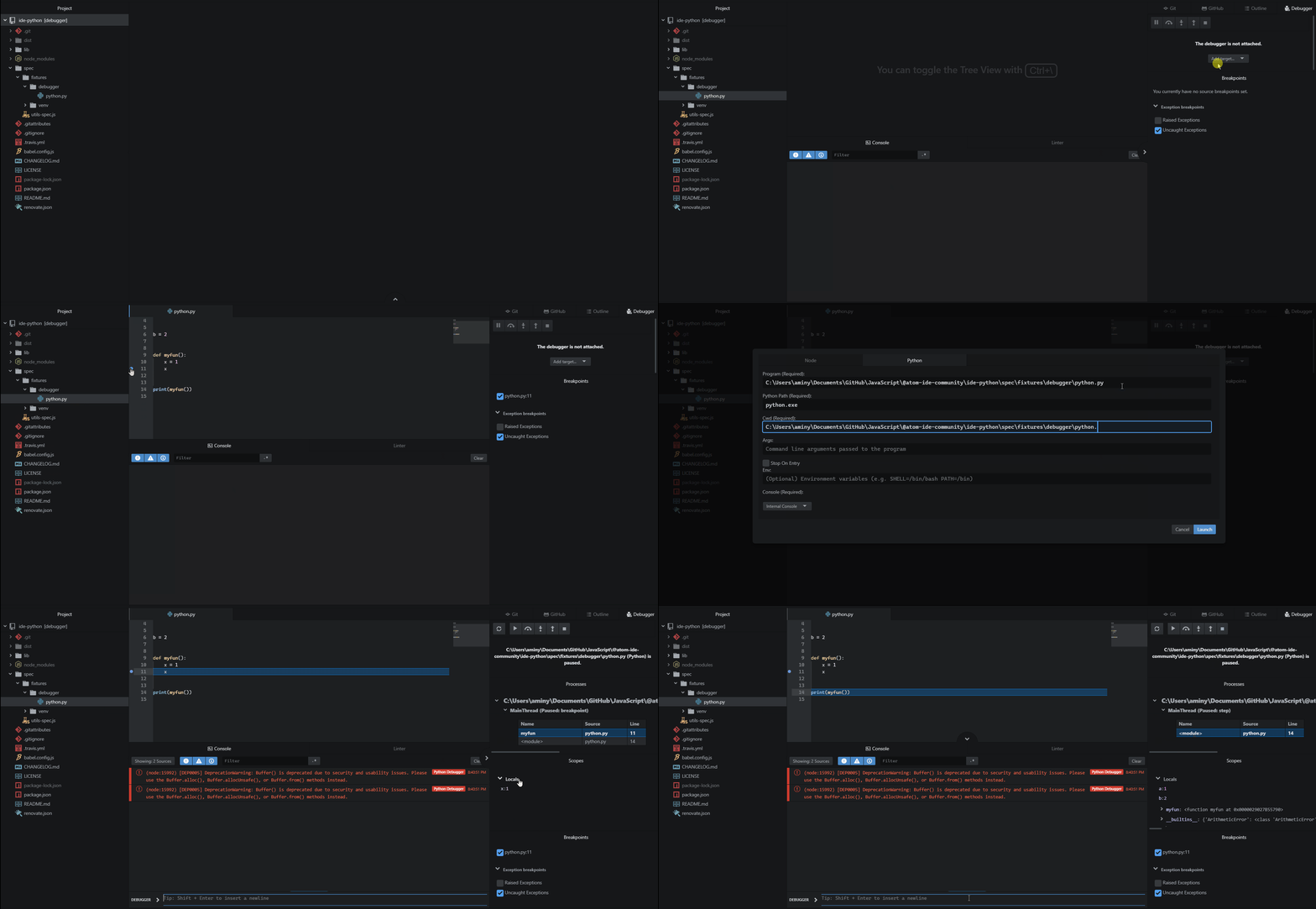
To use the debugger you need to install atom-ide-debugger and atom-ide-console as well:
apm install atom-ide-debugger
apm install atom-ide-console
After installation of the above packages:
Configuration is loaded from zero or more configuration sources.
pycodestyle: discovered in ~/.config/pycodestyle, setup.cfg, tox.ini and pycodestyle.cfgflake8: discovered in ~/.config/flake8, setup.cfg, tox.ini and flake8.cfgOverall configuration is computed first from user configuration (in home directory), overridden by configuration in the ide-python settings, and then overridden by configuration discovered in the current project.
Always feel free to help out! Whether it's filing bugs and feature requests or working on some of the open issues, Atom's guide for contributing to packages will help get you started.
MIT License. See the license for more details.