
This package consumes:
Preview LaTeX maths and Images inline
For markdown, pandoc flavor markdown language or language-markdown is recommended
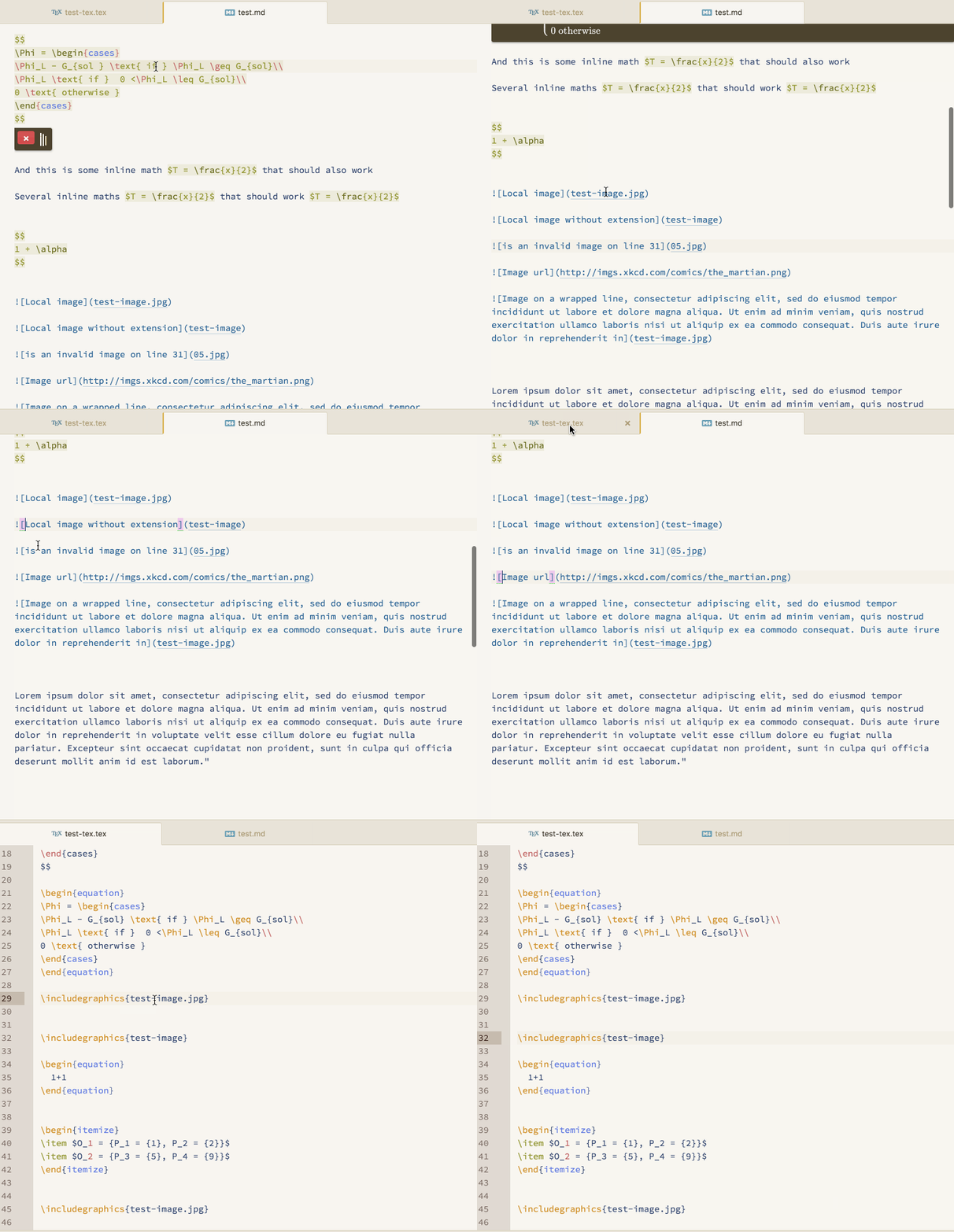
Preview Latex formula and images embedded directly in your documents - no need to generate a full PDF or HTML preview to check your figures and formula! Works in Markdown and Tex files.
Usage
Place your cursor within the image link or inside a math block and trigger preview-inline: show or use the default keyboard shortcut ctrl-alt-p.
Works with inline maths between $ signs and blocks between $$, in markdown and LaTeX, as well as raw and latex code blocks in triple-backticks in Markdown. You can also select arbitrary regions to preview.
You will want to install an improved markdown syntax packages such as pandoc flavor markdown language (language-pfm package) or language-markdown first for support for math regions delimitated by '$' or '$$'. Otherwise only raw code and tex blocks in the standard github-markdown should work.
Updates
- Added support for common Latex environments for maths
- Added basic support for Latex images (
\includegraphics{})
See also
Some handy packages for working on markdown documents:
- document-outline (shameless plug) Displays a hierarchical, interactive outline tree view of your document. This is particularly useful for working on long form documents such as academic papers and theses.
- markdown preview plus enhanced HTML preview of markdown documents
- build plus
build-makefile. If you use Pandoc to build serious documents, your pandoc command starts to get pretty fancy. Do yourself a favour and write a makefile for that, then use atom-build to easily trigger building your document from the editor. - language-pfm or language-markdown for enabling math detection.
Contribute
Contributions via pull request are welcome.