
This package provides:
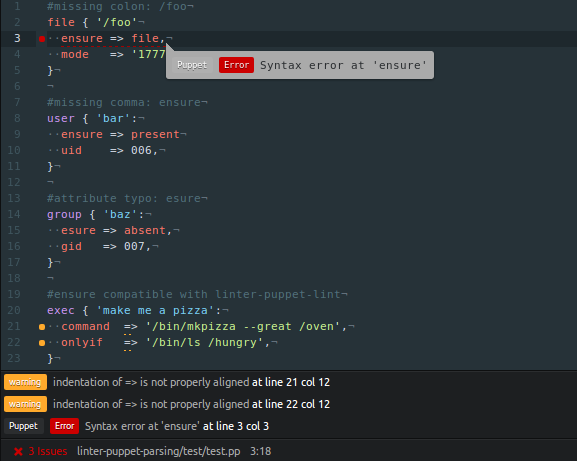
Image displays example of simultaneous use of Linter-Puppet-Parsing with Linter-Puppet-Lint.
Linter-Puppet-Parsing
Linter-Puppet-Parsing aims to provide functional and robust puppet parser validate linting functionality in Pulsar.
This package is now in maintenance mode. All feature requests and bug reports in the Github repository issue tracker will receive a response, and possibly also be implemented (especially bug fixes). However, active development on this package has ceased.
Installation
The Puppet or Puppet Enterprise client software is required to be installed before using this. A version of Puppet in the range from 5 to 8 is required. While version 4 is theoretically supported, it is no longer available for testing, and therefore compatibility cannot be guaranteed. The Atom-IDE-UI and Language-Puppet packages are also required.
All testing is performed with the latest stable version of Pulsar. Any version of Atom or any pre-release version of Pulsar is not supported.
Usage
- The Puppet parser only throws errors for the first line of errors it encounters in a manifest, so this linter only displays one line of errors at a time. However, multiple lines of warnings will be displayed.
- On Windows, you have to specify the absolute path to the Puppet executable, even if it is in your environment
PATH(e.g.C:\Program Files\Puppet Labs\Puppet\bin\puppet).