
This package provides:
build-innosetup
Atom Build provider for Inno Setup, compiles Inno Setup. Supports the linter package for error highlighting.
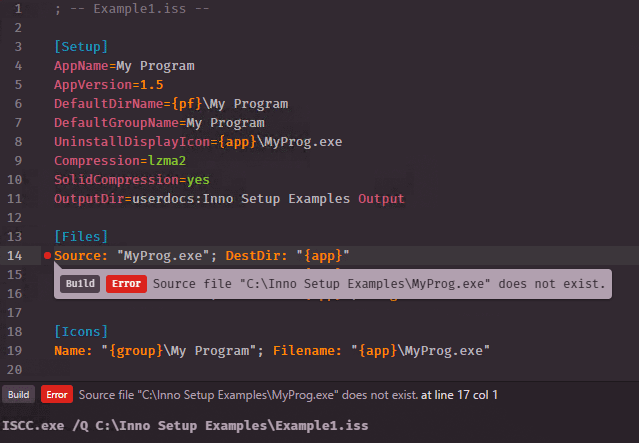
See the linter in action
Installation
apm
Install build-innosetup from Atom's Package Manager or the command-line equivalent:
$ apm install build-innosetup
Using Git
Change to your Atom packages directory:
# Windows
$ cd %USERPROFILE%\.atom\packages

# Linux & macOS
$ cd ~/.atom/packages/
Clone repository as build-innosetup:
$ git clone https://github.com/idleberg/atom-build-innosetup build-innosetup
Inside the cloned directory, install Node dependencies:
$ yarn || npm install
You should now be setup to build the package:
$ yarn build || npm run build
Usage
Build
Before you can build, make sure ISCC.exe is already in your PATH environmental variable. Next up, select an active target with your preferred build option.
Available targets:
Inno Setup— compile script (Super+Alt+B)
Shortcuts
Here's a reminder of the default shortcuts you can use with this package:
Select active target
Super+Alt+T or F7
Build script
Super+Alt+B or F9
Jump to error
Super+Alt+G or F4
Toggle build panel
Super+Alt+V or F8
License
This work is licensed under the The MIT License.