
- emissary@^1.3.1
- theorist@^1.0.2
- event-kit@^1.4.1
- underscore-plus@1.x
- atom-space-pen-views@^2.1.0
atom-browser-webview package
A web browser that runs seamlessly in the Atom editor
Info / Features
This is a web browser tightly integrated into the Atom editor. The web pages appear in the normal editor tabs. The pages are fully functional with scripting and linking. A browser toolbar appears at the top of the Atom window to allow simple webpage navigation.
- Is an actual web browser, no use of iframes so every site should load as it would in Chrome or Firefox. (Some individual web features i.e. popups may not be supported) *
News (Dec. 3rd 2015)
Updated to work with Atom 1.0, probably once again the only working web browser.
Finally a working tabbed browser, using webviews. (No iframes) The easiest way to get going is to toggle the UI in Browser -> Show / Hide Browser UI, or make atom.workspace.open('http://google.com/'); calls after launching.
This extension is designed to support multiple active tabs using visibility: css to work-around the deallocating webviews with display: none;
Usage
- Install with
apm install atom-browser-webview - Press
ctrl-alt-B(web-browser:toggle) and a toolbar will appear above the tabs - Enter a url and press enter
- To later create a new tab use ctrl-enter instead
- Press
ctrl-alt-Bagain to refocus input - Press
ctrl-alt-Bagain to close toolbar - Click on globe in toolbar to close the toolbar (secret feature)
Screenshots / Attributions
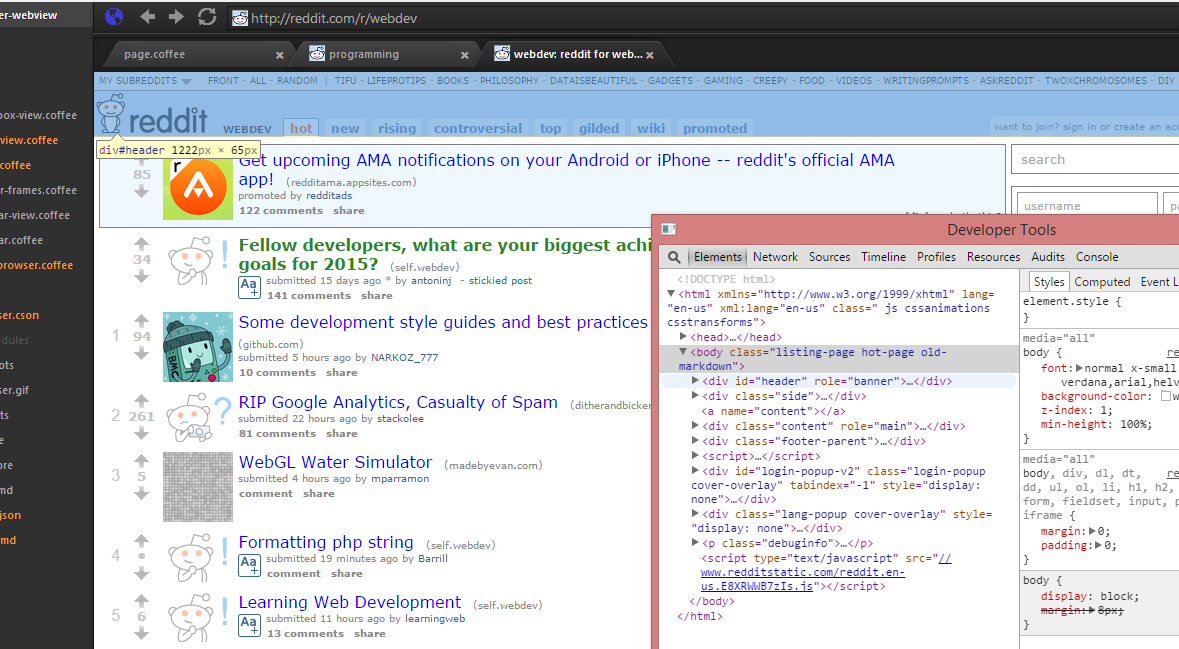
Originally Created by Mark Hahn (https://github.com/mark-hahn/web-browser)
License
Copyright Graham S / Mark Hahn by MIT license