
atom-terminus
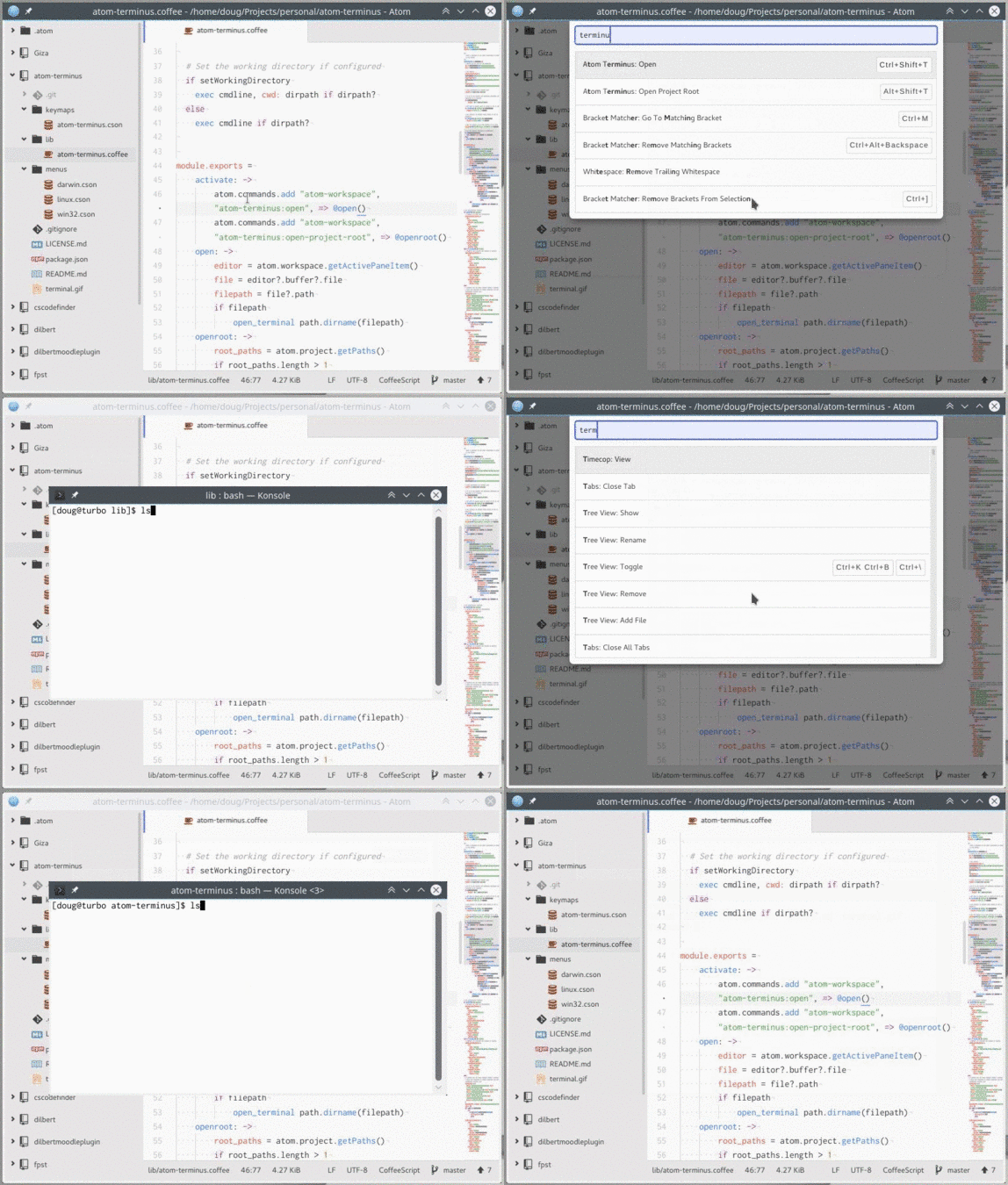
How To
Open terminal on current file's directory with ctrl-shift-t.
Open a terminal in the current file's project root directory with alt-shift-t.
Keybindings: ctrl-shift-t, alt-shift-t
Install: apm install atom-terminus
Config:
"atom-terminus":
    # only necessary if standard config doesn't find terminal app
    app: "/path/to/your/favorite/terminal"
    args: "--use TheseOptions --when LaunchingTerminal"
    commandPrefix: "EnvironmentVariable=\"Value\""
What's New?
The following are improvements that you will find in this package which are not in atom-terminal:
- Support for multiple project roots
- Ability to set a prefix for the command (useful for setting environment variables in Linux or Mac)
- Wild card capabilities
- Better Linux support
What's Gone?
With the above improvements, the following options from atom-terminal have been removed.
- Suppress Directory Argument
- The "%d" wild card is used when you want to include the directory in the arguments.
- Linux example (gnome-terminal and others):
--working-directory "%d"
- Linux example (gnome-terminal and others):
- If you don't want the directory argument, simply don't include it in your args config. If you notice that clearing your args config still leaves you with a default value, you can set a truly empty value by entering a single space character in the args config.
- The "%d" wild card is used when you want to include the directory in the arguments.
Wild Cards
The following can be used anywhere in the Args or Command Prefix:
%d- The absolute path of the current file's directory or project root (whichever is executed)%p- The absolute path of the current file%f- The relative path of the current file (relative to%d)
Examples
(Linux) Set environment variables for current file, use directory argument, and execute an alternate shell
"atom-terminus":
    app: "/usr/bin/gnome-terminal"
    args: "--working-directory \"%d\" -x zsh"
    commandPrefix: "p=\"%p\" f=\"%f\""
Clearing node variables
Atom spawns new processes with the environment variables NODE_ENV=production and NODE_PATH to Atom's internal library path. If you plan on executing npm install or yarn install, you should clear these variables.
On most non-Windows machines this will be as simple as:
"atom-terminus":
    commandPrefix: "NODE_ENV='' NODE_PATH=''"
(Windows) Clear environment variables and use directory argument
"atom-terminus":
    app: "C:\\Windows\\System32\\cmd.exe"
    args: "/K \"set NODE_PATH=& set NODE_ENV=& cd \"%d\"\""
    commandPrefix: ""