
- fs@0.0.1-security
- rxjs@^5.0.0-rc.1
- fs-extra@^0.30.0
- change-case@^3.0.0
- atom-space-pen-views@^2.2.0
Angular2 Component Generation Extension for Atom
Description
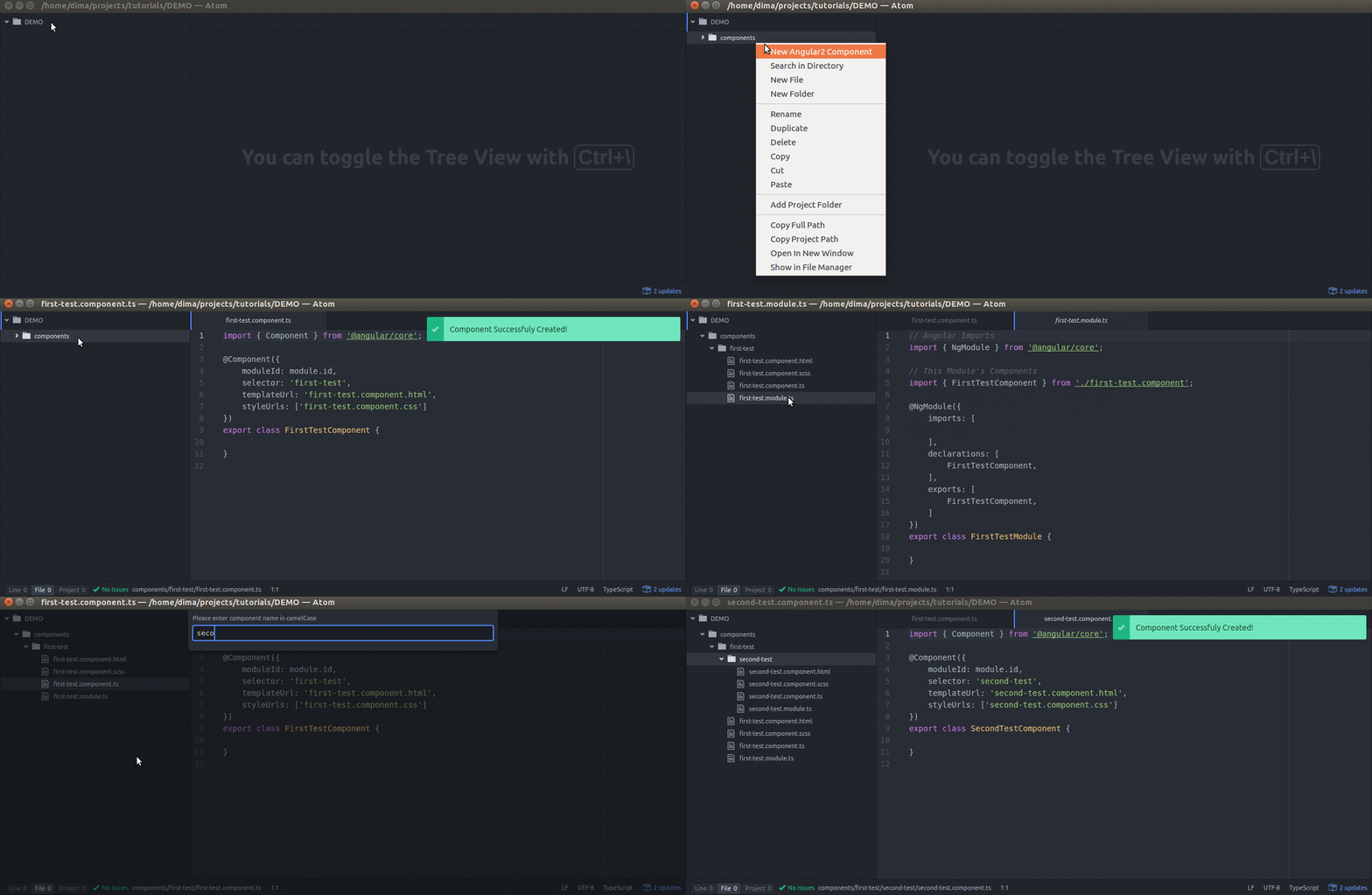
Extension automatically creates folder for angular2 component containing :
component.tsmodule.tscomponent.htmlcomponent.css
Usage
- Right click on on the file or folder in the explorer
- Select "New Angular2 Component"
- Enter component name in the pop up in camelCase
Configuration
- create true / false - (controls weather to generate this file or not)
- extension - extension of generated file (e.g. you might want to change "scss" to just plain "css")
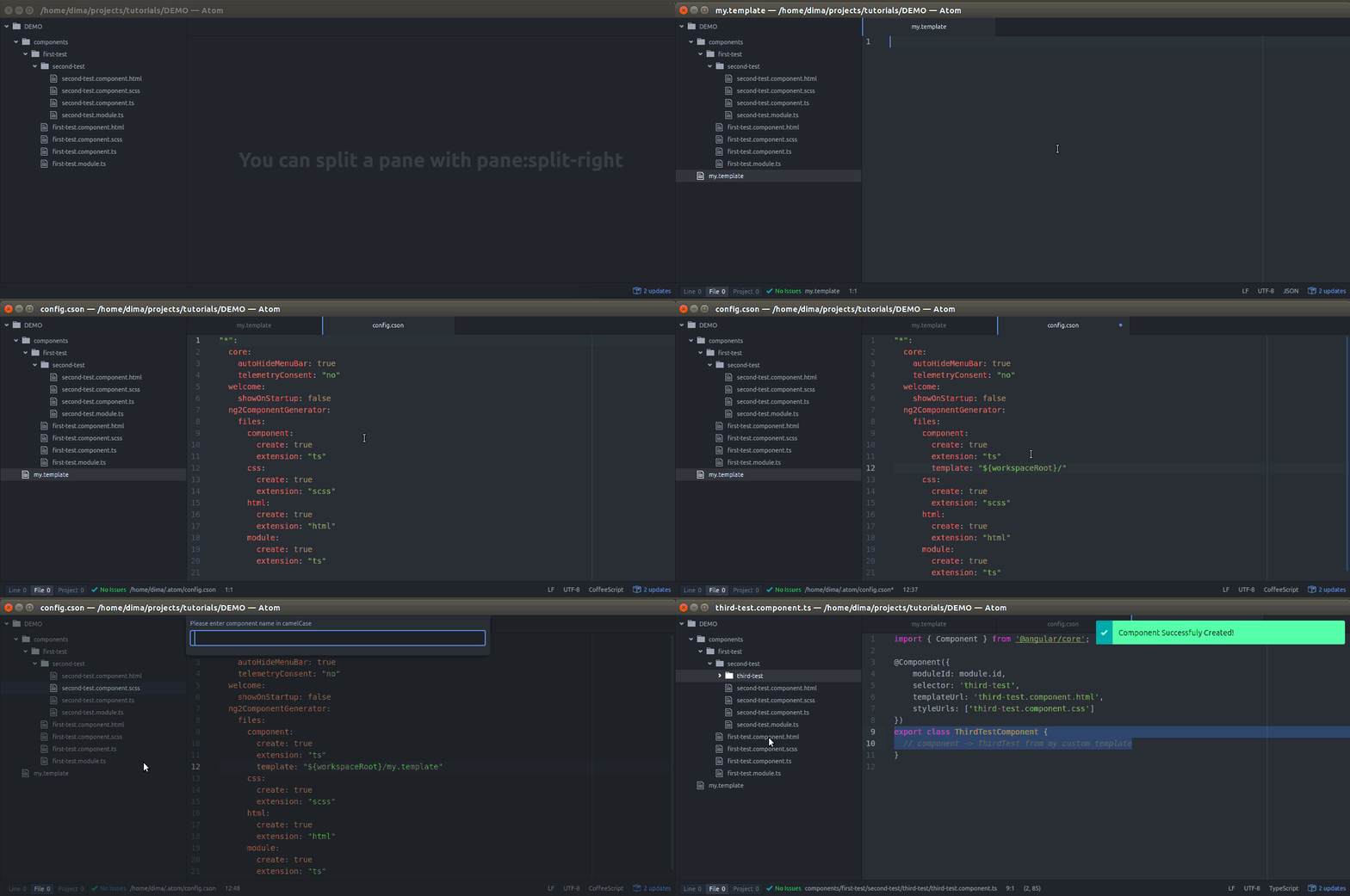
- template - path to the custom template for the generated file
- {selector} -> replaced with
lower case, dash separated string - {templateUrl} -> replaced with
${selector}.component.html - {styleUrls} -> replaced with
${selector}.component.css - {className} -> replaced with
componentName in PascalCase
- {selector} -> replaced with
Use the "template" key to override default templates for the extension
ng2ComponentGenerator:
  files:
    component:
      create: true
      extension: "ts"
      template: "${workspaceRoot}/my.template"
    css:
      create: true
      extension: "scss"
    html:
      create: true
      extension: "html"
    module:
      create: true
      extension: "ts"
Bugs
Please report here